Set up your Cosmos wallet
Before you can interact with the Cosmos ecosystem, you need a digital wallet that supports ATOM and the Inter-Blockchain Communication (IBC) protocol. Think of this wallet as your key to the interchain; it’s not just a storage container, but the interface through which you sign transactions across different blockchains.
Choose a compatible wallet
Not all wallets support Cosmos out of the box. The most widely recommended option for beginners is Keplr, a browser extension and mobile app designed specifically for the Cosmos ecosystem. Keplr manages your keys securely and integrates directly with many IBC-enabled dApps. Other options like Leap Wallet offer similar functionality, but Keplr remains the standard for accessing the majority of Cosmos DeFi protocols.
Secure your seed phrase
When you create your wallet, you will be given a 12-word seed phrase. This phrase is the master key to your assets. If you lose it, your funds are gone forever. If someone else gets it, they can drain your account. Never share this phrase with anyone, including support staff or website administrators. Store it offline in a secure physical location. For significant holdings, consider using a hardware wallet like Ledger, which can connect to Keplr for an extra layer of security.
Verify your connection
Once installed, open Keplr and click "Add Network." Search for "Cosmos Hub" and confirm the details. The network ID should be cosmoshub-4. This step ensures you are connecting to the mainnet and not a test network or a phishing site. A successful connection will show your ATOM balance (initially zero) and allow you to sign transactions.
Fund your wallet
To interact with Cosmos DeFi, you need ATOM to pay for transaction fees (gas). You can buy ATOM on a centralized exchange like Kraken or Binance, then withdraw it to your Keplr address. Copy your receiving address from Keplr and paste it into the withdrawal field on the exchange. Double-check the first and last few characters to avoid errors. Once the transaction confirms on the blockchain, your ATOM will appear in your wallet, ready for staking or swapping.
Download the Keplr browser extension from the official Chrome Web Store or Apple App Store. Create a new wallet by setting a strong password and securely writing down your 12-word seed phrase.
Open Keplr, go to Settings, and add the Cosmos Hub network. Verify the network ID is cosmoshub-4 to ensure you are on the correct mainnet.
Withdraw ATOM from a centralized exchange to your Keplr address. Ensure you select the Cosmos (ATOM) network for the withdrawal to avoid loss of funds.
Bridge assets to the Cosmos Hub
Moving capital into the Cosmos ecosystem requires choosing between the native Inter-Blockchain Communication (IBC) protocol and external bridges. This decision defines your exposure to security risks and transaction speed. IBC is the native language of the Cosmos ecosystem, allowing chains to talk directly without intermediaries. External bridges rely on smart contracts or custodians to lock assets on one chain and mint representations on another.
For a Cosmos Crypto DeFi guide, understanding this distinction is critical. IBC offers higher security guarantees because it is built into the protocol, but it is limited to chains that have enabled IBC relayers. External bridges offer greater flexibility, connecting Cosmos to Ethereum, Solana, or Bitcoin, but they introduce smart contract risk and potential points of failure.
1. Choose your connection method
Decide whether to use a native IBC-compatible wallet like Keplr for direct chain-to-chain transfers or a centralized exchange with Cosmos withdrawal support. If you are moving assets between IBC-enabled chains, IBC is the preferred route. For assets on non-IBC chains like Ethereum, you will need a bridge aggregator or a specific bridge solution. Check the Cosmos Hub documentation to see which chains are currently active on the IBC network.
2. Connect your wallet
Navigate to a bridge interface or aggregator such as the Cosmos Portal. Connect your wallet (e.g., Keplr, Leap) and ensure it is set to the correct network. Verify the URL to avoid phishing sites. Most reputable bridges will prompt you to sign a transaction to approve the asset transfer. This step establishes the connection between your personal wallet and the bridge’s smart contracts or relayer nodes.
Choose the originating chain (e.g., Ethereum) and the destination chain (e.g., Cosmos Hub). Enter the amount of assets you wish to move. The interface will display the estimated gas fees and transfer time. IBC transfers are typically faster and cheaper than external bridges, but availability depends on the specific chain pair.
Review the transaction details carefully. If using a bridge, you may need to approve the token spend in your source wallet first. Then, confirm the bridge transaction. For IBC transfers, you simply confirm the outbound transfer in your wallet. Keep an eye on the transaction status in the block explorer.
Once the transaction is confirmed, check your destination wallet. If using a bridge, ensure the minted tokens appear in your balance. You may need to add the token contract address manually if it does not appear automatically. For IBC, the tokens should appear directly in your wallet’s native token list. Record the transaction hash for your records.
3. Manage gas fees on the destination
After bridging, you will need native tokens on the Cosmos Hub to pay for gas fees for future DeFi interactions. If you bridged ATOM, you are set. If you bridged USDC or ETH, you must swap a small amount for ATOM using a decentralized exchange like Osmosis. This step is often overlooked but is essential for executing any transaction on the Cosmos Hub.
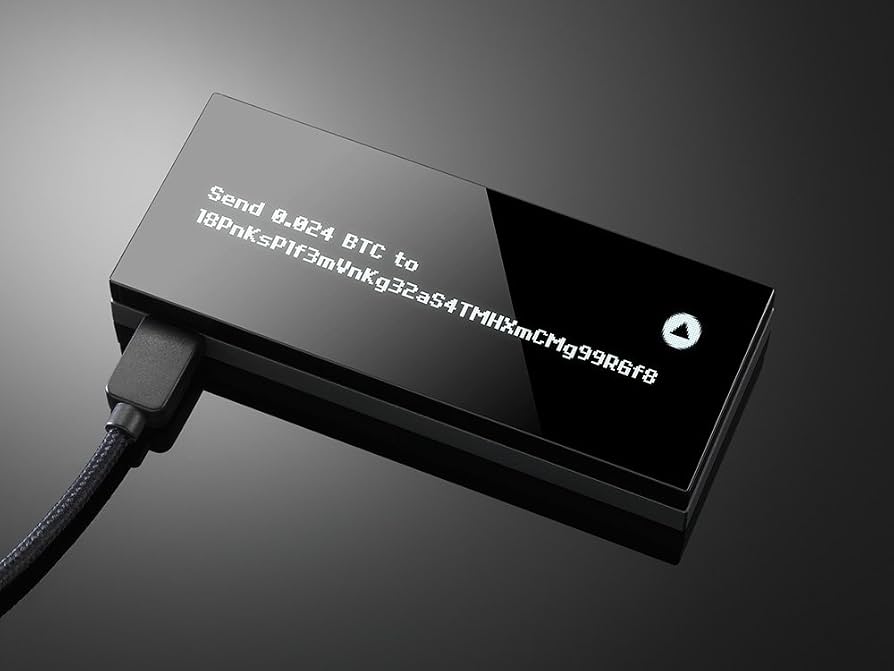
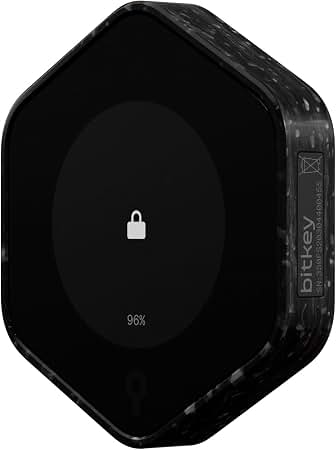
- Open-source firmware
- Touchscreen interface
- ATOM support via Kepler

As an Amazon Associate, we may earn from qualifying purchases.
4. Rebalance for DeFi participation
With assets now on the Cosmos Hub, you can participate in the ecosystem’s DeFi protocols. Staking ATOM provides yield and helps secure the network. You can also provide liquidity to Osmosis pools or lend assets on protocols like Kava. Ensure you understand the impermanent loss risks if providing liquidity. The Cosmos Hub is the central liquidity hub, so your assets here have the broadest access to the ecosystem.
Deploy capital in Osmosis and ATOM
The Cosmos ecosystem offers two distinct paths for deploying capital: native staking for steady, lower-risk yield, or providing liquidity in Osmosis for higher potential returns with greater complexity. Understanding the mechanics of each is essential for a functional Cosmos Crypto DeFi guide.
Staking ATOM for Steady Yield
Staking ATOM is the foundational move in the Cosmos ecosystem. By delegating your tokens to a validator, you secure the network and earn rewards. The process is straightforward: you select a validator from the Cosmos Hub dashboard, delegate your ATOM, and begin earning rewards automatically. This method carries minimal risk beyond the general volatility of the ATOM price itself, as the network’s security mechanisms protect against slashing events for passive delegators.
The yield from staking is derived from inflation and transaction fees. While the annual percentage yield (APY) fluctuates based on network activity and inflation rates, it generally provides a predictable income stream. For investors prioritizing capital preservation and steady growth, staking is the most efficient entry point.
Providing Liquidity in Osmosis
Osmosis, the first decentralized exchange (DEX) built on the Cosmos SDK, allows users to earn yield by providing liquidity to various pools. Unlike staking, where you lock up a single asset, liquidity provision involves depositing pairs of tokens (e.g., ATOM/OSMO) into a pool. In return, you receive LP tokens representing your share of the pool and earn a portion of the trading fees generated by the pool.
This strategy offers significantly higher potential returns than staking but comes with increased complexity and risk. Impermanent loss is a key concern; if the price ratio of the two tokens in the pool diverges significantly, you may end up with less value than if you had simply held the assets. Additionally, smart contract risk exists, as Osmosis relies on code to manage transactions.
Comparing Strategies
The choice between staking ATOM and providing liquidity in Osmosis depends on your risk tolerance and technical comfort. Staking is passive and simpler, while liquidity provision is active and potentially more lucrative but requires monitoring.
| Strategy | Risk Level | Potential Yield | Complexity |
|---|---|---|---|
| Staking ATOM | Low | Moderate | Low |
| Liquidity Provision | Medium-High | High | High |
| Single-Sided Staking | Low | Low | Low |
Building a Balanced Approach
Many investors adopt a hybrid approach. They stake a portion of their ATOM for stable income and use another portion to provide liquidity in stablecoin pools or balanced pairs to mitigate impermanent loss. This diversification allows them to capture yield from both staking rewards and trading fees while managing exposure to price volatility. Always research the specific pools and validators before committing capital.
Avoid common interchain risks
Building a Cosmos Crypto DeFi strategy requires more than just selecting the right protocols; you must actively manage the unique risks introduced by interchain connectivity. While the Cosmos ecosystem offers unparalleled interoperability through IBC, these connections also expand the attack surface. Capital is exposed not only to individual smart contract vulnerabilities but also to the reliability of the bridges and relayers that connect your assets across chains.
The most significant threat to interchain capital is the bridge itself. Bridges act as the gatekeepers between independent blockchains, and their security often relies on centralized validators or complex cryptographic proofs that can be exploited. History has shown that bridge hacks are among the most devastating losses in DeFi, draining hundreds of millions in a single transaction. When you move assets from an IBC-enabled chain to a centralized exchange or a cross-chain bridge, you are temporarily surrendering custody to a third party or a smart contract with a larger, often less audited, codebase. Always verify contract addresses and use audited protocols to minimize smart contract risk.
Beyond bridge exploits, you must consider the risk of broken relays. IBC relies on relayers to package and deliver packets between chains. If the economic incentives for relayers shift or if a chain experiences a network outage, your assets can become stuck in limbo. Unlike a standard blockchain transaction, an IBC transfer failure can leave funds inaccessible for days or weeks while the community attempts to resolve the packet loss. This liquidity risk is distinct from the price volatility of the assets themselves.
Impermanent loss remains a standard concern in any DeFi yield strategy, but it is compounded in an interchain environment. When you provide liquidity to a pool that holds assets from different chains, price discrepancies between those chains can accelerate loss. If one chain’s asset reprices significantly faster than the other due to localized market events, the automated market maker will rebalance your position, locking in losses that you might not have realized in a single-chain context. Monitor these price divergences closely, as they can erode yields faster than expected in a multi-chain portfolio.
Check your Cosmos DeFi portfolio
Monitoring your positions is the final step in building a sustainable Cosmos Crypto DeFi guide. The interchain landscape shifts quickly, and passive holding rarely captures the full value of staked ATOM or liquidity pool shares.
Use this weekly maintenance routine to keep your strategy aligned with market conditions.
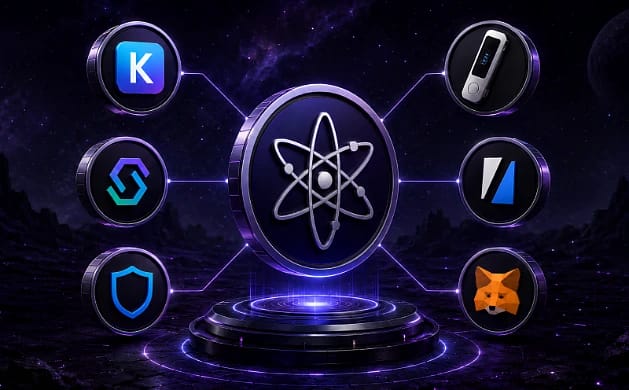
Regular checks prevent small inefficiencies from compounding into significant losses. Keep your documentation updated so you can track performance over time.
No comments yet. Be the first to share your thoughts!