Get Cosmos Crypto DeFi Infrastructure Right
Cosmos is not a single blockchain but a network of sovereign zones. Deploying DeFi here requires understanding how these zones interact before writing code or allocating capital. The infrastructure is powerful, but the complexity is high.
Skip these prerequisites, and you risk deploying to a zone with no liquidity or a network with high transfer friction.
Do not assume every Cosmos chain is ready for interchain finance. Check the Inter-Blockchain Communication (IBC) documentation for the specific zone. A zone must have an active IBC channel to transfer assets or data. If the zone is isolated, your DeFi application cannot access external liquidity or user bases. Look for official IBC connection IDs and channel states in the zone's explorer.
Cosmos zones have independent governance and economic models. Review the zone's inflation schedule and slashing conditions. High inflation can dilute staked assets, while aggressive slashing can penalize validators unfairly. Ensure the zone's tokenomics support your DeFi yield strategy. If the zone relies on external subsidies, those incentives may vanish, breaking your model.
Liquidity on Cosmos is not uniform. Osmosis is the deepest liquidity hub, but many application-specific chains (ASCs) have thin order books. Check the total value locked (TVL) and trading volume for the specific pool you intend to use. Thin liquidity leads to high slippage and impermanent loss. Use official zone dashboards or verified aggregators to confirm depth before committing funds.
The goal is to build on infrastructure that is both connected and economically stable. This preparation prevents costly failures later.
Set up your Cosmos DeFi infrastructure
Building on Cosmos requires more than just holding ATOM; it demands a clear path to the IBC-enabled chains that offer real yield. This guide walks through the essential steps to connect, secure, and transact within the Cosmos ecosystem, focusing on the infrastructure that supports protocols like Osmosis.
1. Choose a compatible wallet
Your first move is securing a wallet that supports the Cosmos SDK. While many wallets are expanding, Ledger and Keplr remain the most reliable for IBC connectivity. These wallets manage your keys locally, giving you full custody of your ATOM and staking derivatives. Avoid exchange-hosted wallets for deep DeFi participation, as they often lack the necessary IBC port exposure.
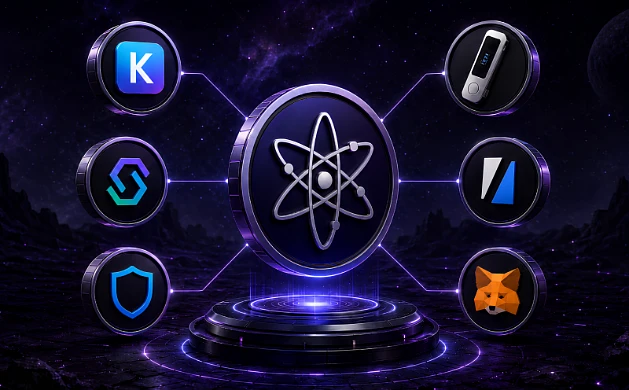
Download Keplr or set up a Ledger device with the Cosmos app. Verify the extension or firmware is updated to the latest version to ensure compatibility with the newest IBC channels. This is your gateway to the entire ecosystem.

Purchase ATOM on a major exchange and withdraw it to your wallet address. Ensure you are sending via the Cosmos Hub chain (cosmoshub-4) to avoid address mismatches. You will need ATOM to pay for gas and to stake for security.

Use the wallet’s built-in bridge or a trusted IBC router like the Cosmos Portal to move assets between chains. Confirm the channel ID matches the official Cosmos Network documentation. This step unlocks liquidity from Osmosis and other app-chains.
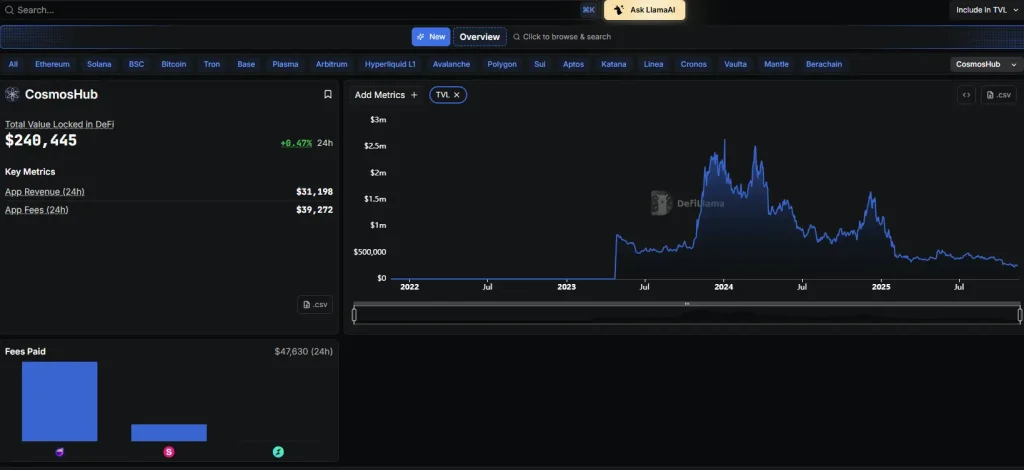
Delegate your ATOM to a validator with a strong uptime record. Staking earns you rewards and secures the network. Check the validator’s commission and slashing history on the Cosmos Explorer before committing.

Link your wallet to Osmosis or other IBC-enabled DeFi hubs. Start with small test transactions to verify connectivity. Review the smart contract interactions carefully to understand the yield source and associated risks.
2. Verify your security settings
Before moving significant capital, audit your wallet’s security posture. Disable unnecessary browser permissions and enable hardware wallet signing for large transactions. Regularly check for phishing sites that mimic official Cosmos interfaces.
3. Monitor your positions
Use block explorers like Mintscan to track your staking rewards and IBC transfers. Set up alerts for validator slashing events or network upgrades. Staying informed helps you react quickly to market changes.
-
Verify wallet supports IBC channels
-
Fund wallet via Cosmos Hub chain
-
Delegate ATOM to reputable validator
-
Test small transaction on target DeFi protocol
-
Enable hardware wallet signing

As an Amazon Associate, we may earn from qualifying purchases.
Fix common mistakes
Interchain scaling on Cosmos requires precision. A single configuration error in the IBC (Inter-Blockchain Communication) protocol can lock assets or expose a chain to replay attacks. The following errors are the most frequent causes of failure in production environments.
Locking liquidity with improper channel timeouts
Developers often set channel timeouts too aggressively to satisfy security audits. A timeout of a few seconds may work on a testnet but fails on mainnet during high congestion. When a packet times out before the counterparty processes it, the assets remain stuck in the escrow account.
Set timeouts based on maximum observed block times plus a safety margin. Monitor the packet_life_time metrics. Use the official Cosmos SDK documentation to calculate appropriate values for your specific latency requirements.
Ignoring IBC transfer fees
Many teams assume IBC transfers are free or cheap because they focus only on gas fees. They forget that the receiving chain requires gas to process the incoming packet. If the sender does not include sufficient fees in the memo or the relayer does not get paid, the transfer fails silently.
Always specify the fee structure in the transfer transaction. Ensure the relayer has enough incentive to process the packet on both sides. Test with small amounts first to verify that fees are deducted correctly on both chains.
Misconfiguring the Relayer
The relayer is the bridge between chains. A misconfigured relayer can miss packets, double-submit them, or fail to update client state. This leads to stale proofs and failed transfers. Many teams run relayers on underpowered hardware, causing missed blocks.
Use a dedicated, high-uptime server for your relayer. Monitor the relayer logs for errors. Verify that the light client is syncing correctly by checking the latest block height against the source chain.
Cosmos crypto defi infrastructure: what to check next
Before committing capital to the Cosmos network, it helps to separate the marketing narrative from the actual technical and economic mechanics. This section addresses the most common objections regarding interoperability, token utility, and risk management.
No comments yet. Be the first to share your thoughts!