Secure your Cosmos ecosystem access
Before interacting with any Cosmos-based DeFi protocol, secure the keys controlling your assets. The ecosystem is a frequent target for phishing and smart contract exploits. Treat every dApp connection as a high-stakes financial transaction. The following steps establish a security baseline to protect capital before engaging with liquidity pools, staking, or interchain transfers.

Your wallet is the primary interface to the Cosmos network. Use only wallets officially endorsed or widely audited, such as Keplr or Leap. These wallets support the Cosmos SDK natively, allowing you to manage ATOM and IBC tokens across multiple chains. Never download wallet extensions from unofficial sources or click links in direct messages claiming to be support staff. Verify the URL and extension ID directly from the Cosmos official documentation or the developer’s verified website.
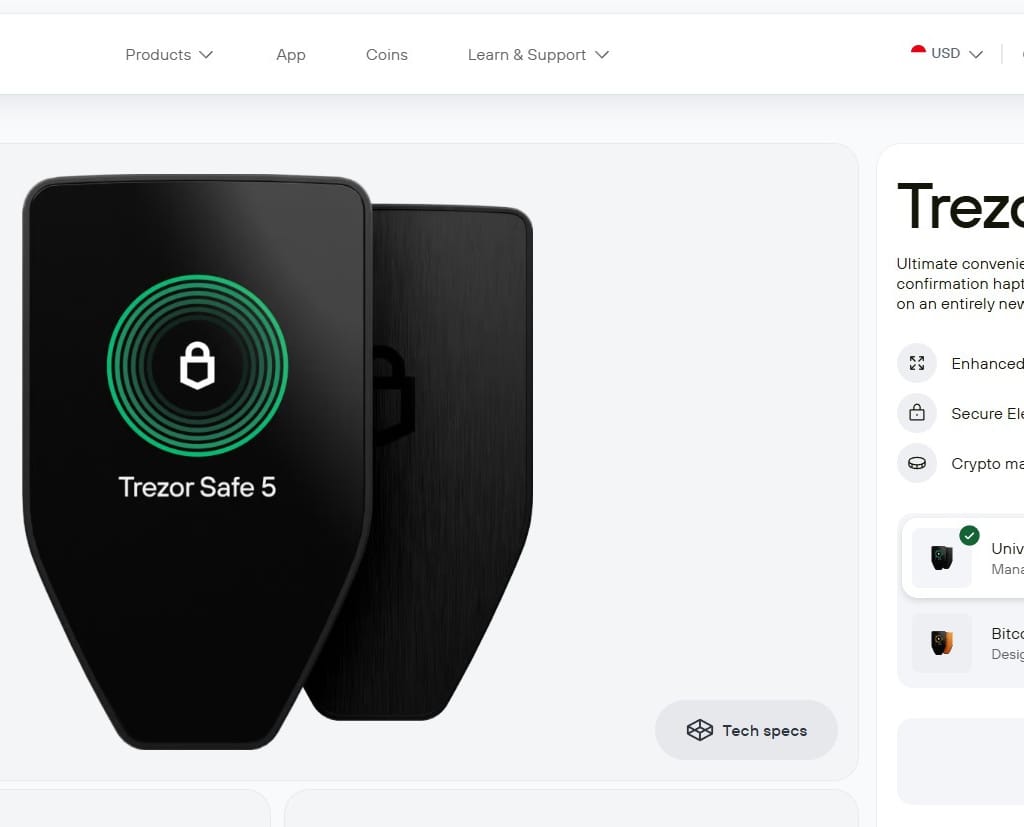
Software wallets store private keys on your device, remaining vulnerable to malware and browser exploits. For significant holdings, connect a hardware wallet like Ledger or Trezor to your software interface. This ensures your private keys never leave the secure element of the device. When signing transactions, the hardware wallet physically verifies the transaction details on its screen. This step is non-negotiable for anyone holding more than a trivial amount of ATOM or other Cosmos ecosystem tokens.
Scammers often create fake dApps that look identical to legitimate Cosmos DeFi platforms. Always verify the smart contract address and the dApp URL through official channels. Check the Bankless guide to Cosmos or the official Cosmos Hub GitHub for verified links. Do not rely on search engine results or social media ads. A single typo in a contract address can send your funds to a dead wallet or a honeypot.
Before confirming any transaction, use your wallet’s simulation feature to preview the exact outcome. Check the gas fees, slippage tolerance, and the specific contract you are interacting with. Set strict approval limits for ERC-20 or IBC tokens. Never approve infinite allowances for new or unverified protocols. This practice prevents malicious contracts from draining your wallet in future interactions.


As an Amazon Associate, we may earn from qualifying purchases.
The security of your Cosmos DeFi strategy relies entirely on the integrity of your access points. By using official tools, verifying contracts, and leveraging hardware custody, you eliminate the most common vectors for asset loss. Once this baseline is established, you can confidently explore the interchain opportunities available in the Cosmos ecosystem.
Bridge assets across the interchain
Moving value between Cosmos chains and external networks requires understanding two distinct types of bridges: native Inter-Blockchain Communication (IBC) and cross-chain wrappers. IBC is the protocol’s native language, allowing chains to speak directly without intermediaries. Cross-chain bridges, such as those connecting Cosmos to Ethereum, rely on trusted validators or lock-and-mint mechanisms, introducing additional complexity and risk vectors that demand careful verification.
Verify the bridge source
Before initiating any transfer, confirm you are using the official bridge interface. Phishing sites often mimic legitimate dApps to steal funds. For IBC transfers, use wallets like Keplr or Cosmos Hub’s official interface. For cross-chain assets like BTC or ETH on Cosmos, rely on established, audited bridges like the Cosmos IBC-Ethereum bridge or official wrapped asset contracts. Never click links from social media DMs or unverified forums.
Check gas and fees
IBC transfers require gas on both the sending and receiving chains. If you are moving ATOM from Cosmos Hub to a zone like Osmosis, you must hold ATOM for Cosmos Hub gas and OSMO for Osmosis gas. For cross-chain bridges, you typically need the native token of the destination chain (e.g., ETH on Ethereum) to pay for transaction fees. Failing to hold sufficient gas on the target chain will result in a failed transfer and potential loss of funds.
Execute the transfer
Connect your wallet to the verified bridge interface. Select the source chain, the destination chain, and the asset amount. Review the estimated arrival time and fees. For IBC, transfers usually settle within seconds to minutes. For cross-chain bridges, confirmations can take longer depending on the underlying consensus. Double-check the destination address and chain selection. Once confirmed, monitor the transaction status on both the source and destination block explorers until the assets appear in your wallet.
Confirm receipt and security
After the transfer completes, verify the asset balance in your destination wallet. For IBC, the asset will appear as an IBC-denominated token. For cross-chain wrapped assets, ensure the token contract address matches the official bridge’s documentation. If you are moving significant value, consider splitting the transfer into smaller amounts to mitigate risk. Always keep your private keys secure and never share them with anyone, including bridge support staff.
Deploy capital in Cosmos DeFi protocols
Deploying capital in the Cosmos ecosystem requires navigating a fragmented but highly interoperable landscape. Unlike monolithic chains, Cosmos operates as a network of independent blockchains connected by the Inter-Blockchain Communication (IBC) protocol. Your primary asset for these operations is ATOM, the native token of the Cosmos Hub, which serves as the economic and security anchor for the entire ecosystem [cosmos.network].
Before allocating funds, understand that yield in Cosmos comes from two distinct sources: staking rewards for network security and liquidity provision for trading pairs. Both carry unique risks, including smart contract vulnerabilities and impermanent loss. The following steps outline the mechanical process of deploying capital safely.
Begin by acquiring ATOM on a major exchange and withdrawing it to a non-custodial wallet that supports the Cosmos SDK, such as Keplr or Leap. Ensure your wallet is configured to display IBC assets, as this allows you to see tokens bridged from other zones like Osmosis or Juno. Never send assets to a wallet address that does not explicitly support Cosmos SDK standards, as this results in permanent loss.

Navigate to the Cosmos Hub staking interface within your wallet. Select a validator with a commission rate that aligns with your profit goals and a track record of reliability. Staking ATOM directly secures the network and generates annual percentage yields (APY) distributed by the protocol. This is the lowest-risk DeFi strategy in the ecosystem, as you retain ownership of your tokens and can unstake them after a seven-day unbonding period.
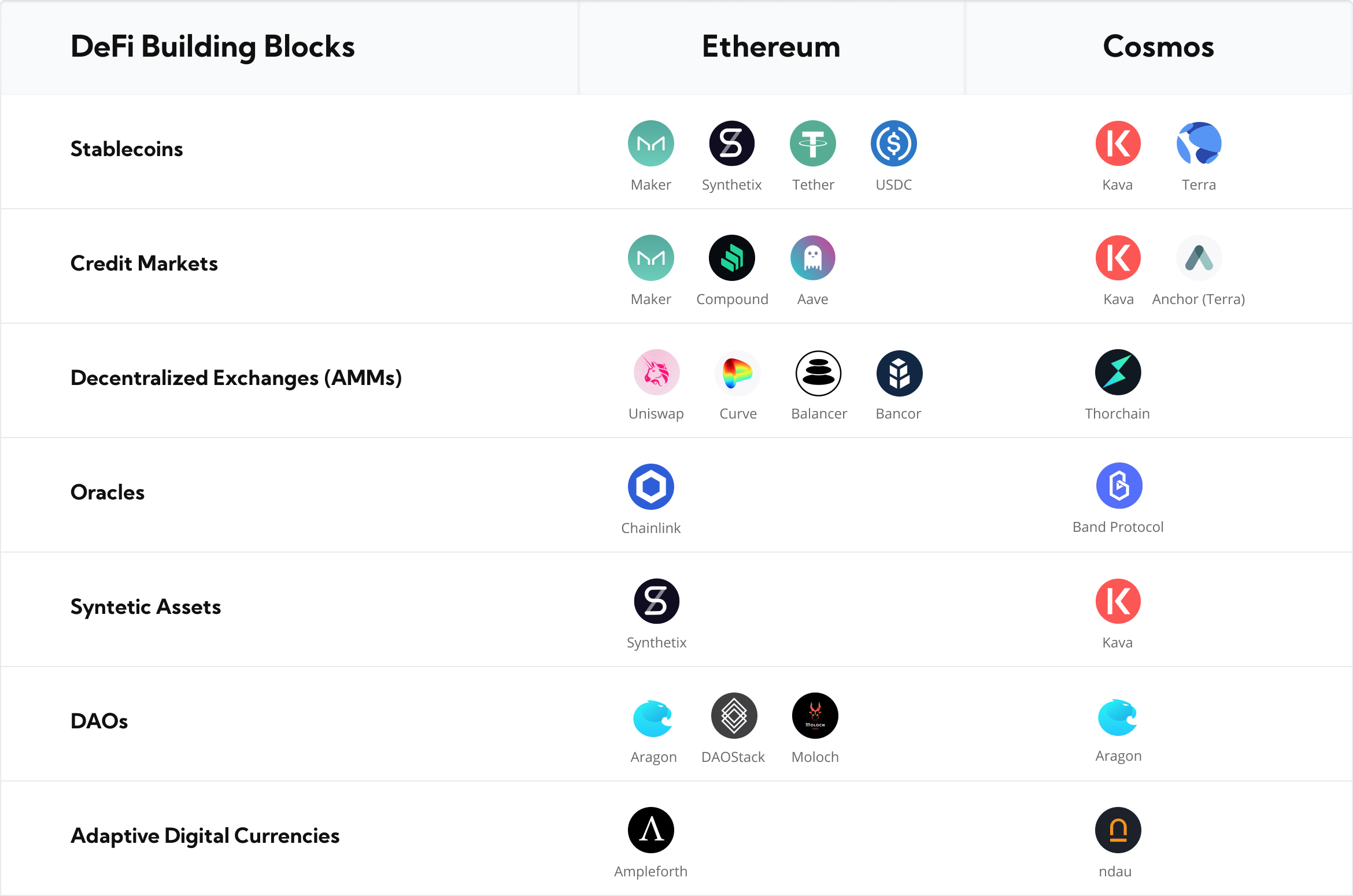
To access higher yields, you must bridge your ATOM or other assets to specific Cosmos zones. Use the official IBC transfer mechanism or a trusted bridge like the Cosmos Hub’s central liquidity pool. For example, bridge ATOM to Osmosis, the leading decentralized exchange in the ecosystem, to provide liquidity. Always verify the bridge’s contract address and security audits to avoid phishing sites that mimic official IBC interfaces.
Once assets are on the target chain, deposit them into liquidity pools or native staking mechanisms. On Osmosis, you can earn trading fees by providing pairs like ATOM/USDC. Alternatively, stake tokens on app-specific chains like Celestia or Injective for their respective native rewards. Diversify across multiple zones to mitigate the risk of any single chain experiencing a protocol failure or economic exploit.
Avoid common interchain bridge risks
Moving assets between Cosmos zones via IBC bridges introduces specific mechanical risks that static wallets do not. The primary danger lies in the trust assumptions of the bridge validator set and the potential for smart contract exploits during the lock-and-mint or burn-and-release phases. Slippage and failed transactions are common when network congestion exceeds the bridge's throughput capacity.
To mitigate these risks, follow this verification sequence before executing any large transfer:
- Check the bridge's validator set. Identify who signs the packets. If the set is small or centralized, the risk of collusion or single-point failure increases significantly.
- Review recent audit reports. Look for audits from reputable firms like CertiK or Trail of Bits. Check if critical findings were remediated.
- Test with a small amount. Send a minimal amount first to confirm the transaction path, gas fees, and destination address accuracy.
Cosmos' modular architecture relies on the security of each individual zone. A vulnerability in a bridge's smart contract can lead to total loss of funds. Prioritize bridges with transparent governance and active security monitoring over those offering the lowest fees or fastest speeds.
Check your portfolio and governance status
Before closing out your workflow, verify that your staking positions are active and your rewards are accounted for. In the Cosmos ecosystem, passive income from staking ATOM is not automatic; it requires manual intervention to claim. Neglecting this step leaves yield on the table and exposes your assets to unnecessary counterparty risk if you are using third-party services.
Log into your wallet or staking dashboard to confirm your ATOM is delegated to a validator. Check the status indicator: it should read "Bonded" or "Active." If it shows "Unbonding," your assets are locked for a 21-day period and cannot be used for governance or trading until the unbonding completes. Review the validator’s commission rate and uptime to ensure you are earning competitive yields.
Cosmos staking rewards are not auto-compounded by default. Navigate to the rewards section of your wallet (such as Keplr or Leap) and select "Claim Rewards." This action sends a transaction to the Cosmos Hub, transferring your accrued ATOM and any other native tokens from the validator into your wallet. Perform this claim regularly to maintain liquidity and avoid large, single-transaction gas spikes.
Governance is the core mechanic of the Cosmos Hub. Check the Cosmos Hub Governance Dashboard for active proposals. Each proposal has a voting window and a minimum deposit requirement. Vote with your staked ATOM to influence protocol upgrades, fee markets, or ecosystem grants. Your vote weight is determined by the amount of ATOM you have bonded and the duration of your delegation.
-
Confirm ATOM status is "Bonded"
-
Claim all pending staking rewards
-
Vote on at least one active governance proposal
-
Verify validator commission rates are reasonable
Can Cosmos atoms hit $500?
Price predictions for ATOM depend on broader market sentiment, Ethereum's performance, and the adoption rate of IBC. While some analysts project significant growth if Cosmos becomes the standard for interchain communication, others argue that competition from other modular blockchains limits its upside. Historical data shows ATOM has reached all-time highs above $40 during bull markets, but past performance does not guarantee future results. Investors should focus on the fundamental utility of the network rather than speculative price targets.
No comments yet. Be the first to share your thoughts!