Set up your interchain wallet
To interact with Interchain Security and manage liquid staking positions, you need a wallet that speaks the Cosmos language. Most standard Ethereum wallets cannot directly handle IBC assets or Cosmos SDK chains without a bridge. This section focuses on the foundational setup: choosing and configuring a compatible interface to hold ATOM and related tokens securely.
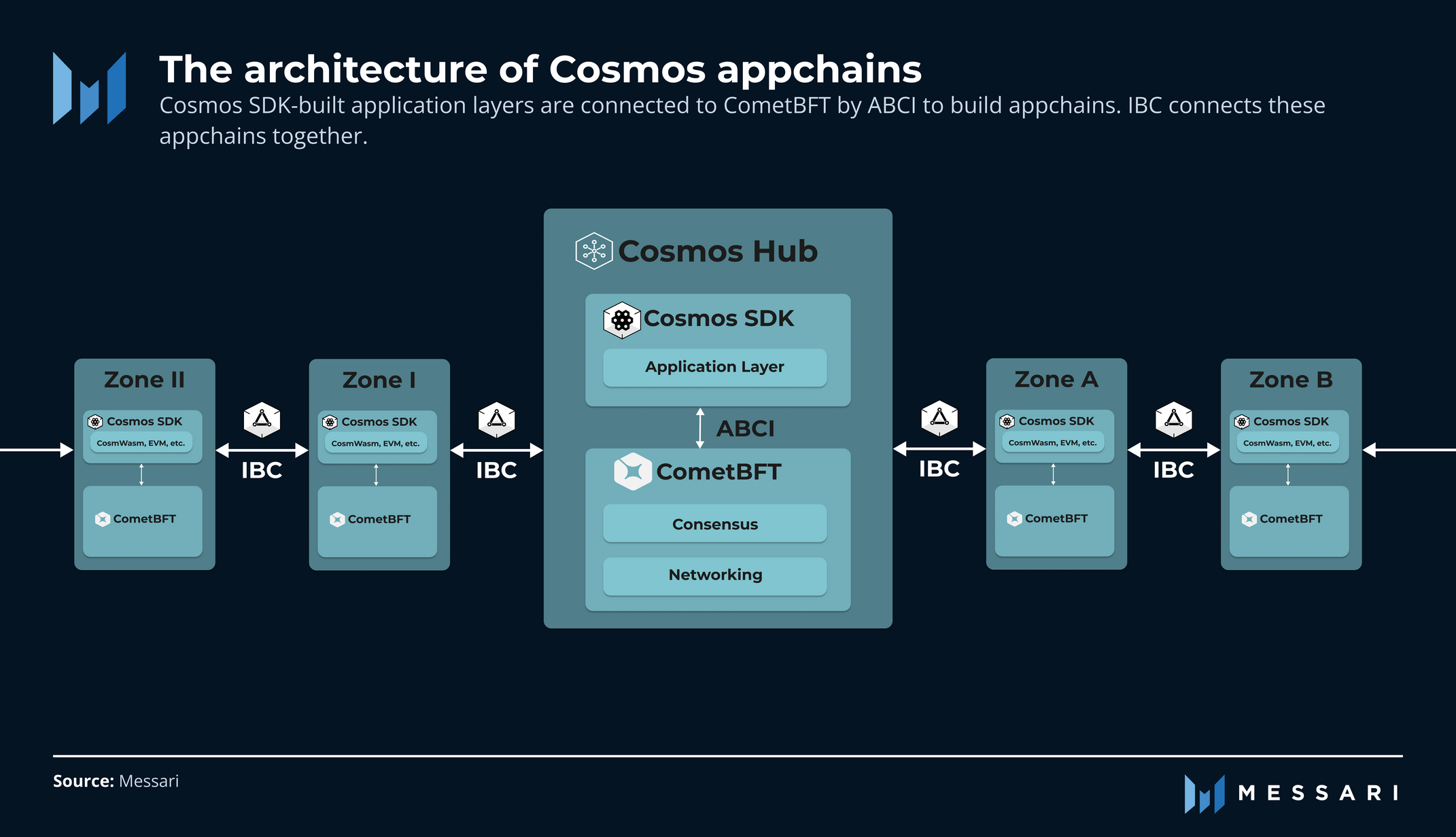
Select a wallet built for the Cosmos ecosystem. Cosmos Network officially recommends wallets like Keplr for browser extensions and mobile apps. These wallets support the Cosmos Hub and many IBC-connected chains. Avoid generic wallets that only support EVM chains unless you are prepared to use complex bridge interfaces.
Download the official Keplr extension from your browser’s web store or the Keplr mobile app from the App Store or Google Play. Verify the publisher is the official Keplr team to avoid phishing clones. Once installed, initialize the wallet by creating a new account. You will be given a 12-word seed phrase. Write this down on paper and store it offline. Never share it or enter it into a website.
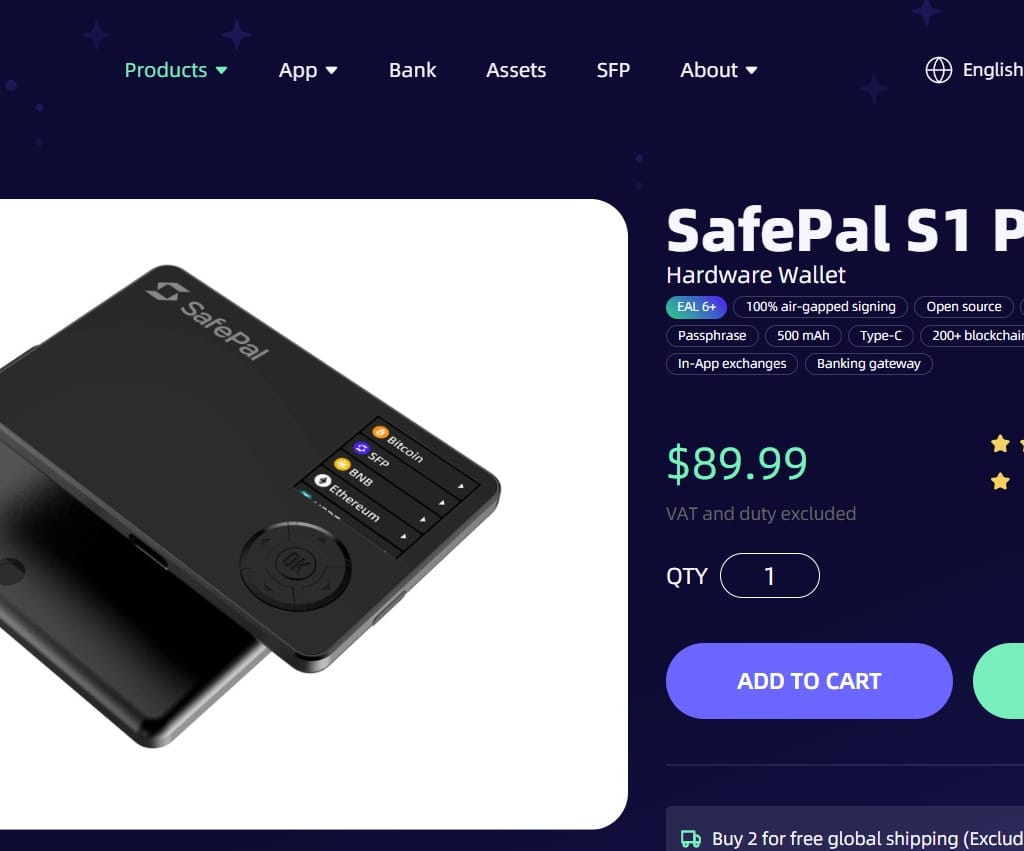
Your seed phrase is the only way to recover your assets. If you lose your device, you can restore your wallet using these words on any compatible device. If you lose the words, your assets are gone forever. Do not save them in screenshots, cloud notes, or email drafts.
In your wallet settings, ensure IBC support is enabled. For Interchain Security, you may need to import specific chain configurations if they are not pre-loaded. This allows your wallet to recognize and display assets from other chains in the Cosmos ecosystem. You can now receive ATOM or other IBC tokens directly to your address.
Stake ATOM for Interchain Security
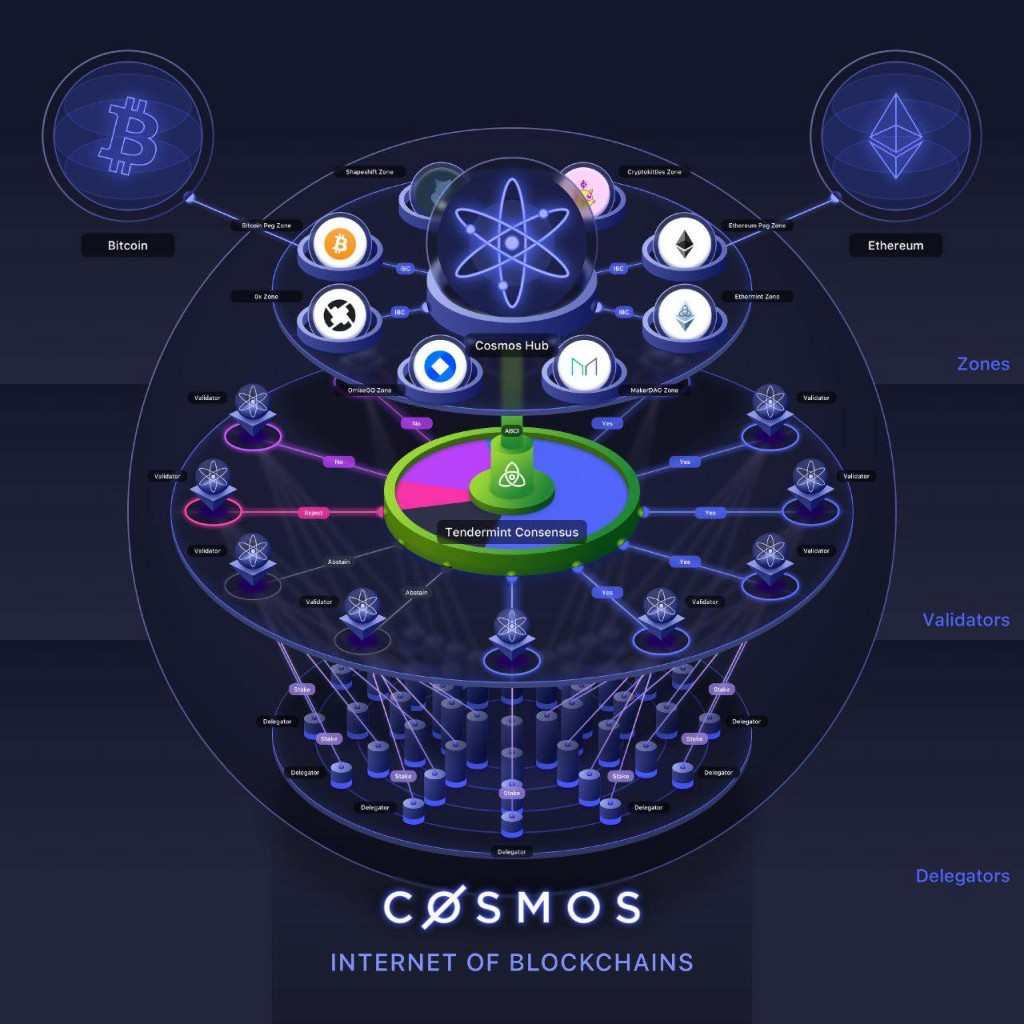
Interchain Security (ICS) allows the Cosmos Hub to lease its security to other blockchains, a mechanism known as Relayed Chains. When you stake ATOM to participate in this system, you are not just securing the Hub; you are actively securing the broader ecosystem. This dual-layer protection increases the value of your stake by tying ATOM's economic weight to multiple high-growth chains.
1. Set Up a Compatible Wallet
Begin by installing a Cosmos-native wallet such as Keplr or Leap. These wallets provide the necessary interface to interact with the Cosmos Hub and its relayed chains. Ensure your wallet is connected to the mainnet and that you have a healthy balance of ATOM to cover transaction fees. A reliable wallet is the foundation of secure staking.
2. Delegate to an Interchain Security Validator
Navigate to the staking section within your wallet and select "Stake ATOM." Filter or search for validators that explicitly support Interchain Security. These validators have opted into relaying security to other chains. Delegating to them ensures your ATOM contributes to the security budget of the entire ecosystem, not just the Hub. Choose validators with consistent uptime and reasonable commission rates to maximize your yield.
3. Explore Liquid Staking Options
If you prefer liquidity while staking, consider liquid staking derivatives like stATOM. Platforms such as Stargaze or Osmosis allow you to stake ATOM and receive a tokenized receipt. This receipt represents your staked ATOM and its accrued rewards, allowing you to use it in DeFi protocols while still earning staking APY. This approach balances capital efficiency with security participation.
4. Monitor and Rebalance
Regularly review your staking dashboard to ensure your chosen validators remain healthy and continue to support Interchain Security. The ecosystem evolves, and validator performance can change. Rebalancing your stake periodically helps maintain optimal security coverage and yield. For detailed technical specifications on ICS, refer to the official Cosmos documentation.
Access liquid staking derivatives
Locking ATOM in native staking secures the network but ties up your capital. Liquid staking solves this by issuing a derivative token, like stATOM, that represents your staked position while retaining transferable value. This allows you to earn staking rewards while simultaneously deploying that same capital into DeFi protocols for additional yield.
The process follows a strict sequence: secure your wallet, stake your ATOM, receive the liquid staking token, and then deploy it. Each step requires precision to avoid slippage or smart contract exposure.
Native vs. Liquid Staking
Understanding the trade-offs is essential before committing funds. Native staking offers the highest security and direct validator interaction but sacrifices liquidity. Liquid staking introduces counterparty risk to the issuer but unlocks capital efficiency.
| Feature | Native Staking | Liquid Staking |
|---|---|---|
| Liquidity | Locked (3-21 days unbonding) | Instantly transferable |
| Yield Source | Validator rewards only | Staking + DeFi yields |
| Risk Profile | Validator slashing risk | Issuer smart contract risk |
| Minimum Entry | Varies by validator | Often lower thresholds |
How to swap and deploy
Execute the swap using a trusted liquid staking protocol such as Stride or Kira. These platforms handle the minting and redemption process, ensuring your underlying ATOM remains secured on the Cosmos Hub.
Open your Cosmos-compatible wallet (e.g., Keplr or Leap) and navigate to the liquid staking dashboard. Ensure you are on the official domain to avoid phishing sites. Verify the network is set to Cosmos Hub Mainnet.
Select the amount of ATOM you wish to stake. Confirm the exchange rate for the liquid staking token (e.g., stATOM). Review the fee structure and validator selection. Sign the transaction to mint the derivative tokens to your wallet.
Transfer the newly minted liquid staking tokens to your preferred DeFi protocol, such as a lending market or liquidity pool. Enable the token as collateral or provide it as liquidity to earn additional yield on top of your staking rewards.
Always verify the audit status of the liquid staking provider and the DeFi protocol you are interacting with. Smart contract risk is the primary threat in this strategy, so stick to established, audited platforms.
Deploy capital in Cosmos DeFi protocols
Once your wallet is connected and your ATOM is staked or liquid-staked, you are ready to deploy capital into the ecosystem. The Cosmos network offers a unique advantage for DeFi: interoperability. Because chains like Osmosis, Celestia, and Injective can communicate via IBC, your assets can move freely to find the highest yield without leaving your custody.
1. Choose your primary DeFi hub
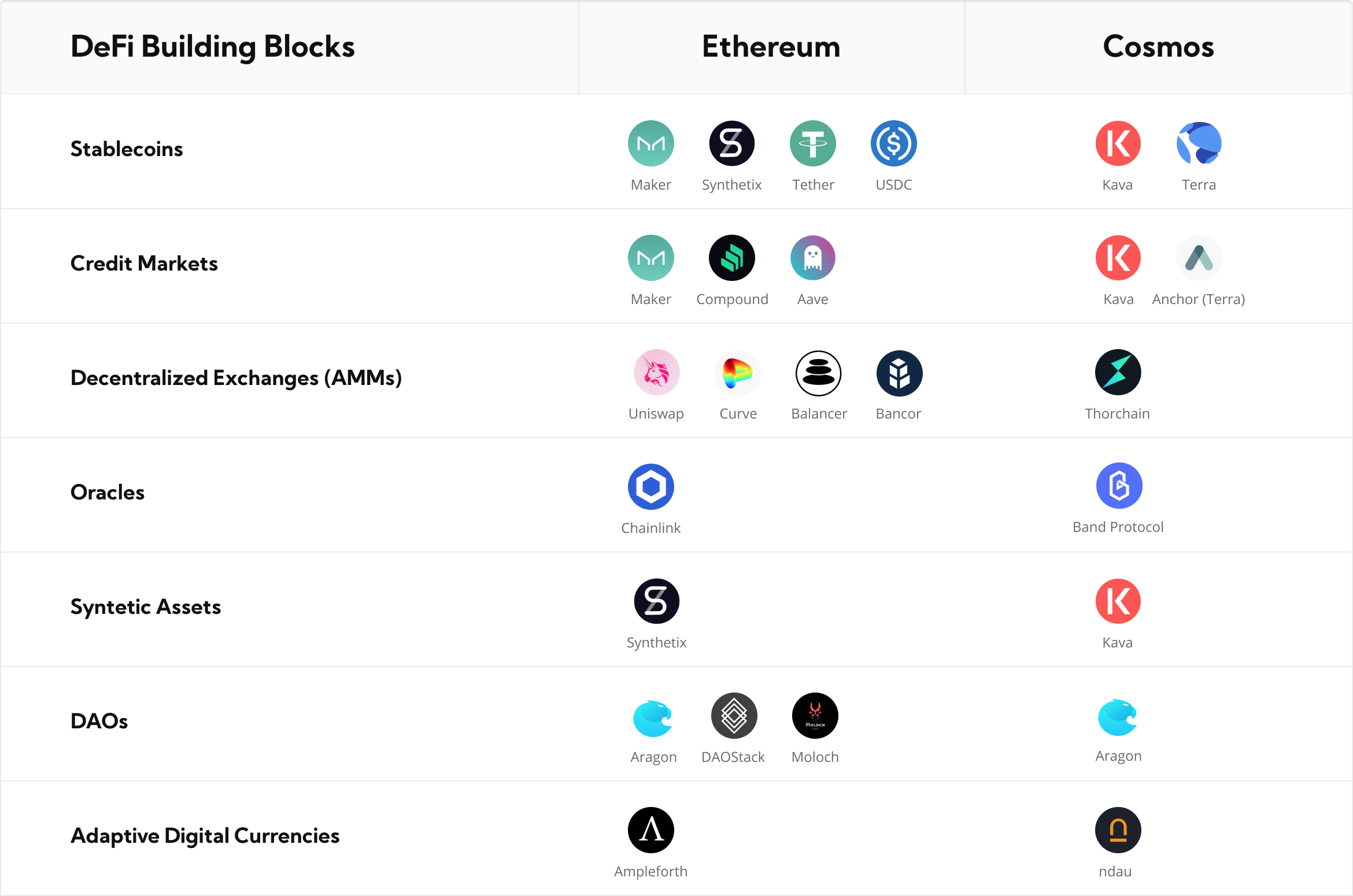
Start with Osmosis, the leading decentralized exchange in the Cosmos ecosystem. It functions as the liquidity layer where most IBC assets are traded. Instead of just holding ATOM, you can provide liquidity to major pairs like ATOM/USDC. This generates trading fees and OSMO token rewards. Ensure you understand the impermanent loss risk before locking funds in volatile pairs.
2. Explore lending protocols
For a more passive approach, consider lending protocols like Kava or Neutron. These platforms allow you to lend your staked assets to borrowers. By supplying liquidity, you earn interest paid in the underlying asset or the protocol’s native token. This method often carries lower risk than providing liquidity to volatile trading pairs, though smart contract risk remains a factor.
3. Leverage liquid staking for yield
If you are using a Liquid Staking Derivative (LSD) like stATOM, you can use it as collateral in lending markets. This creates a leveraged yield strategy. You earn staking rewards on the LSD while simultaneously lending it out. This doubles the utility of your initial capital, but it increases complexity and potential liquidation risks if the market turns.
4. Verify contract audits and TVL
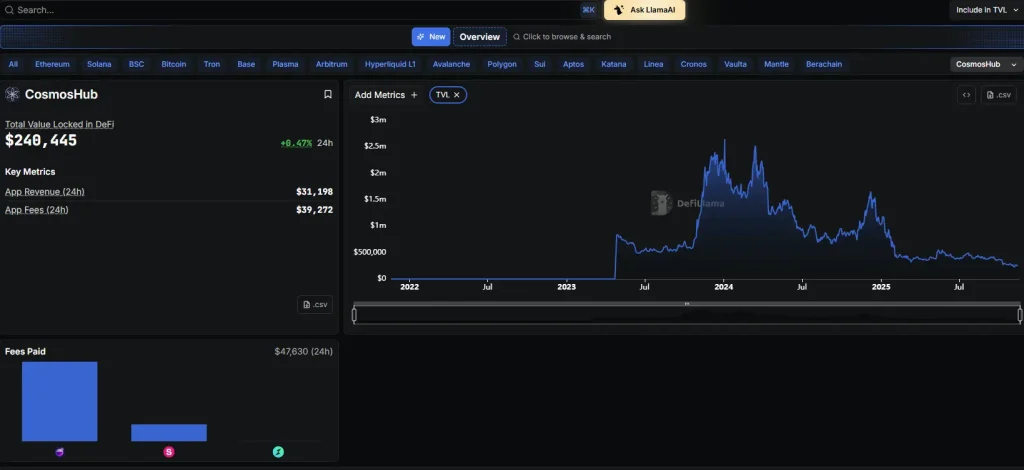
Before deploying any significant capital, perform a quick due diligence check. Look for protocols with audited smart contracts and a healthy Total Value Locked (TVL) metric, which indicates community trust and liquidity depth. Avoid new, unaudited forks that promise unrealistic yields. The Cosmos ecosystem is growing, but security should always precede yield.
-
Verify contract audits from reputable firms like Certik or Hacken
-
Check TVL trend: avoid protocols with rapidly declining liquidity
-
Assess impermanent loss risk for any liquidity pool positions
-
Ensure your wallet is connected to the correct chain network
5. Monitor and rebalance regularly
DeFi yields are not static. They change based on demand, token emissions, and market conditions. Set up alerts for major protocol announcements or yield shifts. Regularly review your positions and rebalance to maintain your desired risk profile. The Cosmos ecosystem moves fast; staying active is part of the strategy.
Helpful gear
Use these product recommendations as a starting point, then choose the size, material, and price point that fit how you actually use the gear.


As an Amazon Associate, we may earn from qualifying purchases.
No comments yet. Be the first to share your thoughts!